Viewer Game Queue
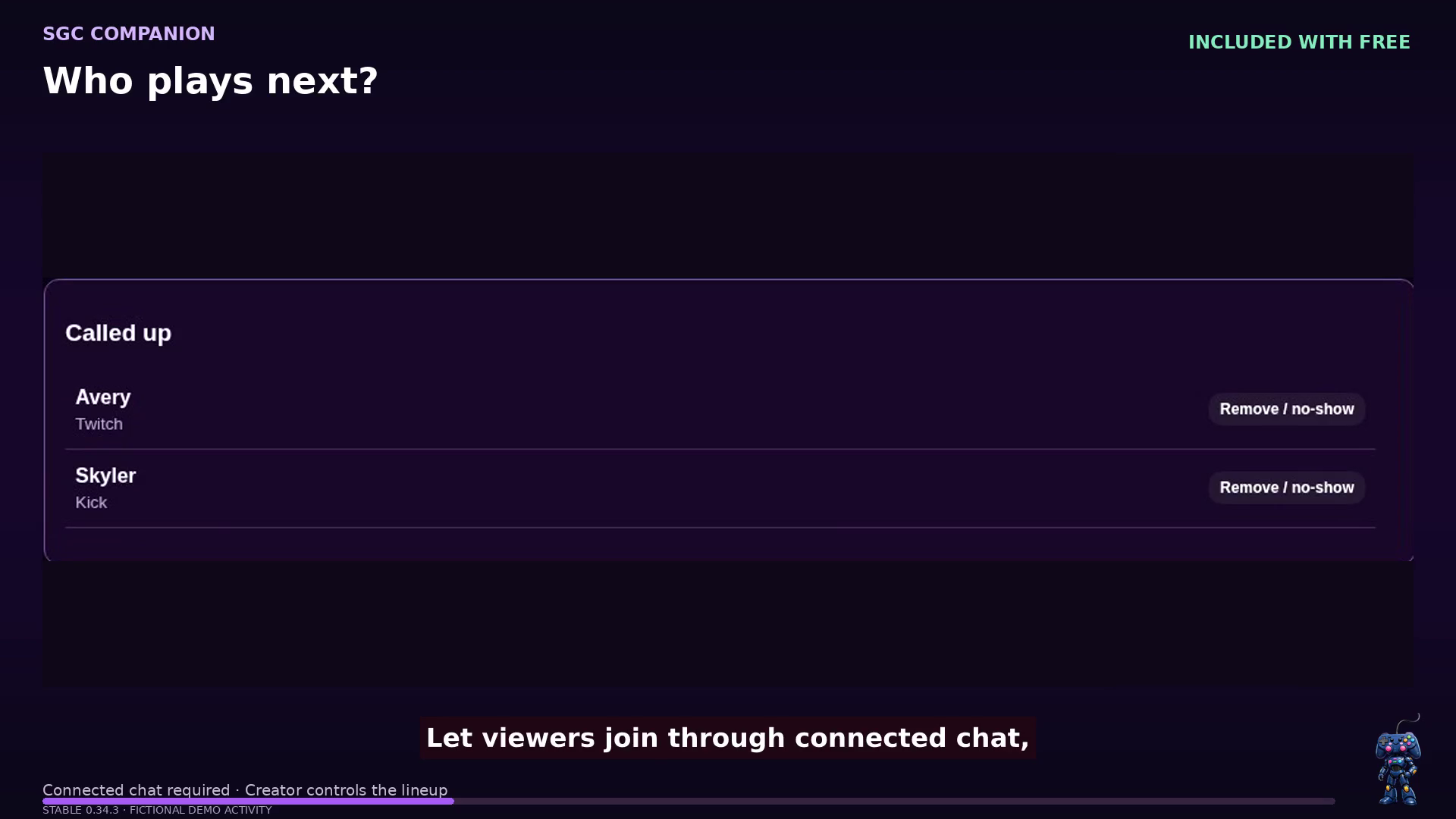
Let viewers join through supported chat commands. Call the next party, manage the lineup, and show who’s next with a browser-source overlay.
 Support Great CausesCreators. Communities. Impact.
Available for Windows · Start with Free
SGC Companion
More time with your community. Fewer windows to manage. Bring chat and voice together, create your stream’s look, invite viewers into the game, and celebrate the support that keeps you going.
Feature overview · Demo recorded in 0.34.3
Recent additions are now in the stable Windows release, alongside the chat, voice, and community tools you already know.
Let viewers join through supported chat commands. Call the next party, manage the lineup, and show who’s next with a browser-source overlay.
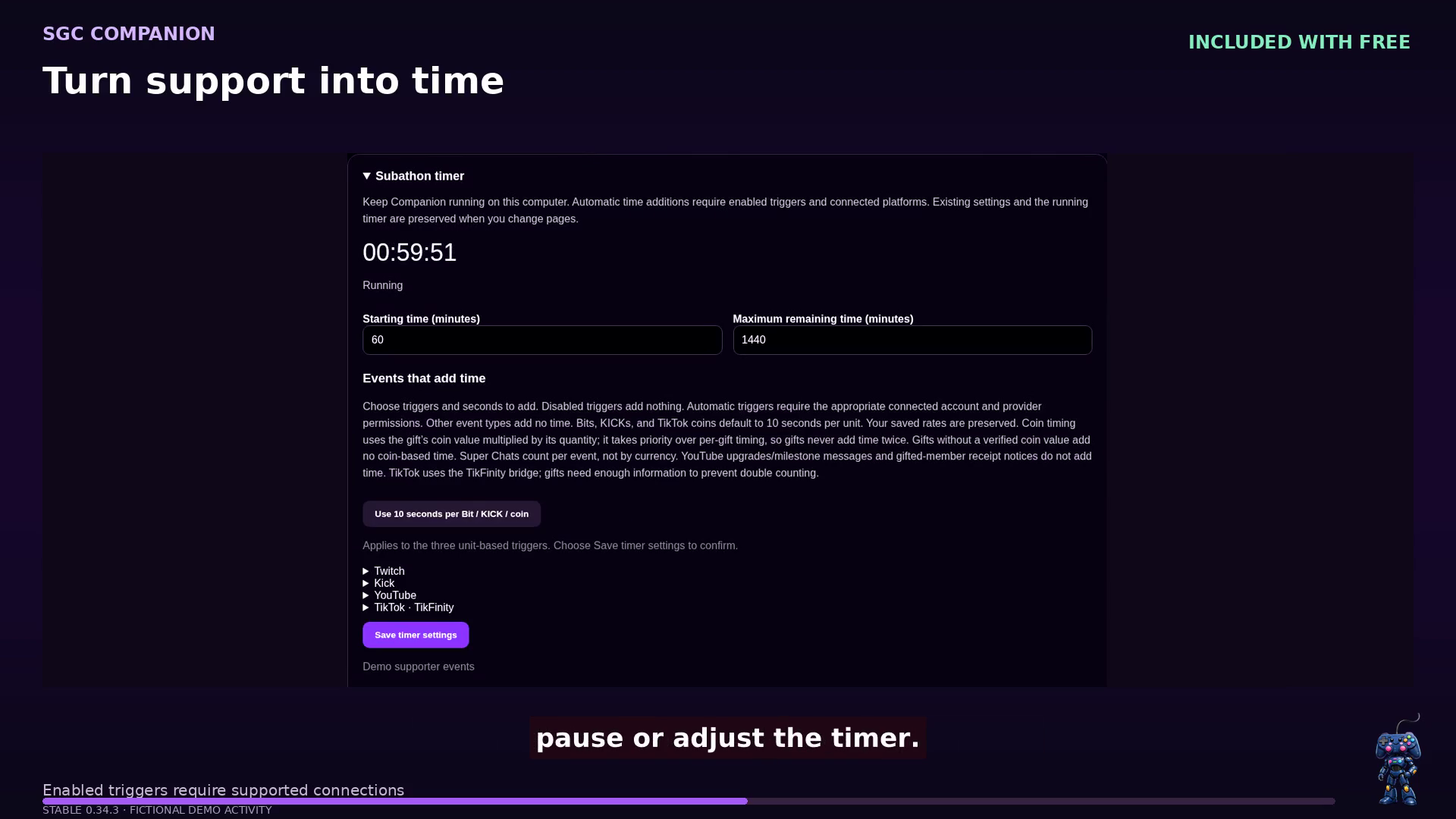
Choose how supported subscriptions, gifts, and other supporter events add time. Pause, adjust, and show the timer alongside alerts or in its own browser source.
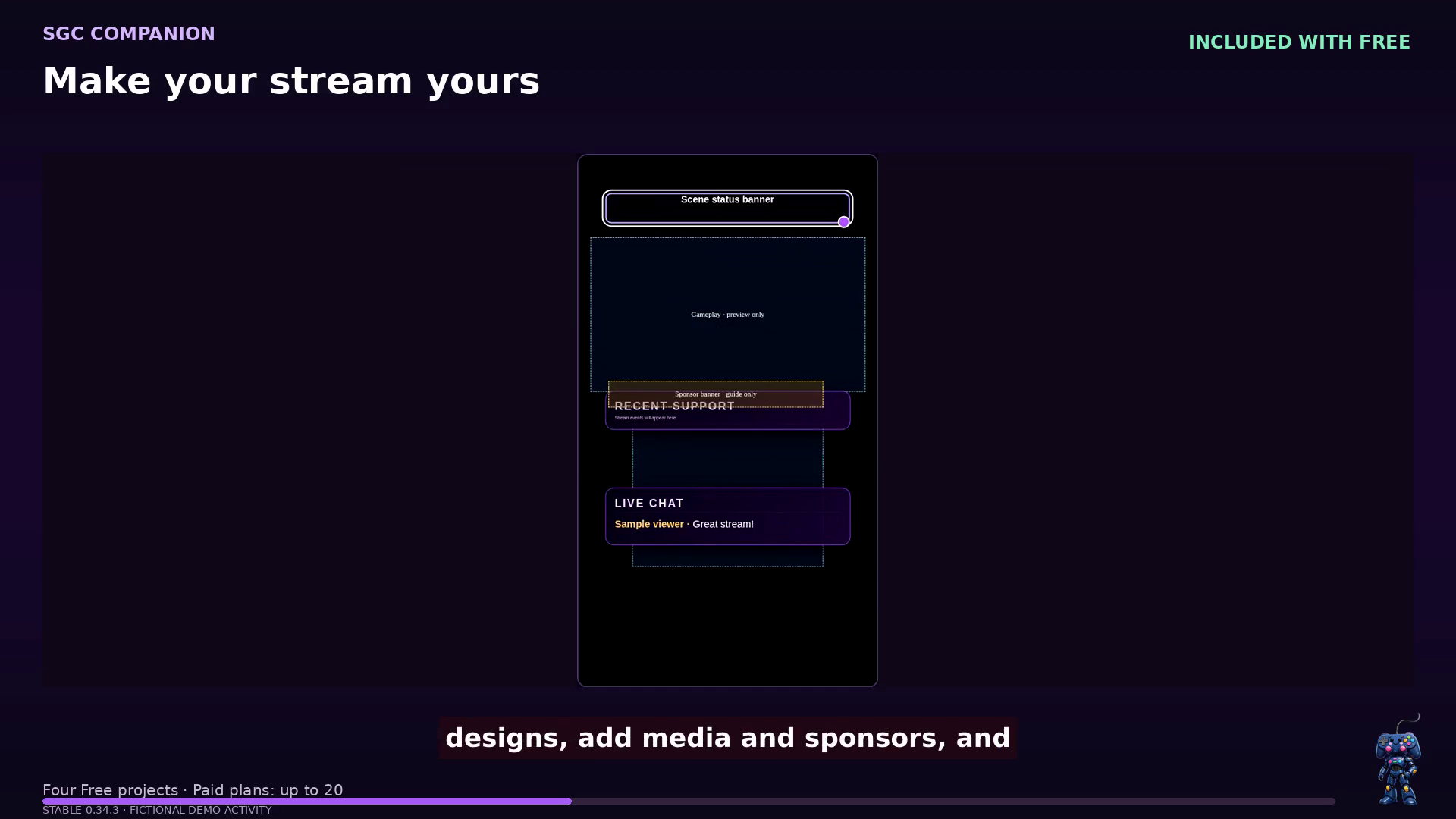
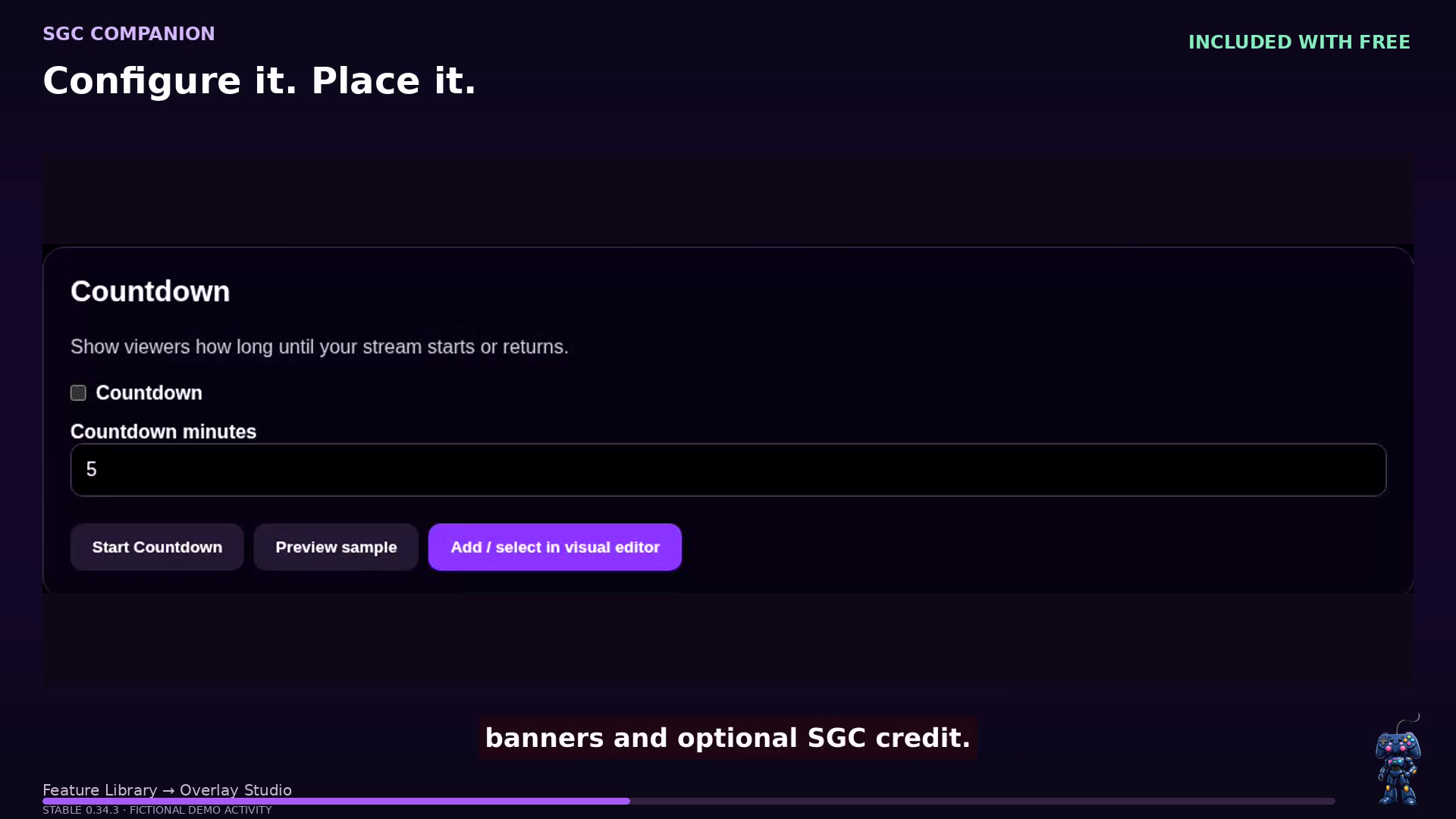
Set up widgets in Feature Library, then place and resize them in Overlay Studio. Landscape and portrait layouts stay independent.
Review supported audience and chat activity, then prepare editable supporter thank-you drafts for X, Facebook, or your Club. You decide what gets shared.
Watch the product tour · Recorded in 0.34.3
Explore the recorded 0.34.3 demonstration with Heart narration, captions, and clear Free, Premium, and Unlimited labels—from full app and Live Mode to overlays, queues, subathons, and recaps.
The people behind Companion
SGC Companion is a creator tool from Support Great Causes. WanteysWorld is one of the owners behind SGC Companion.
Companion brings supported chat, voice, alerts, overlays, and community tools into one creator workspace. Connections to Google and YouTube support the features you choose to authorize.
Explore the recorded app demonstration
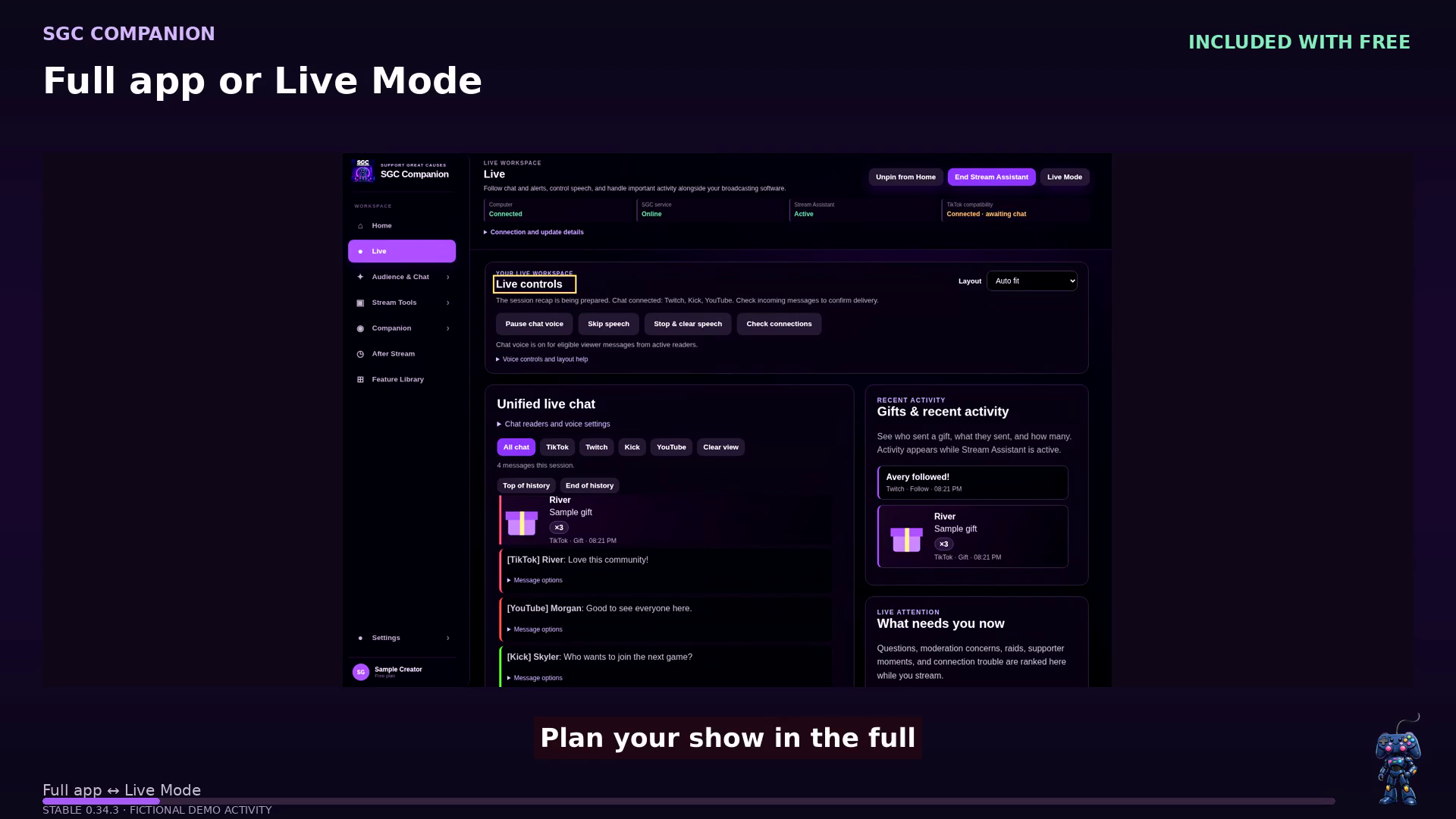
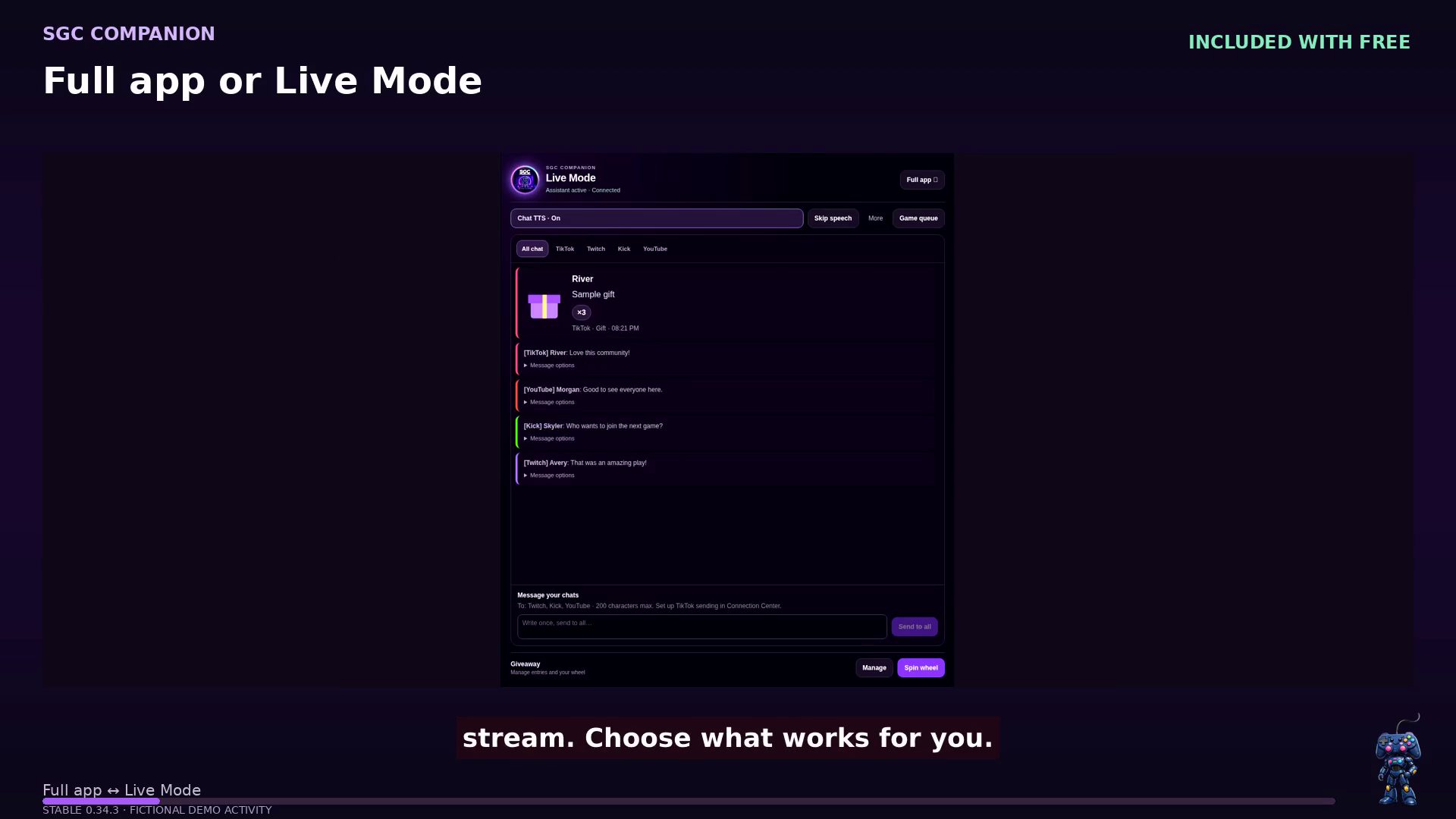
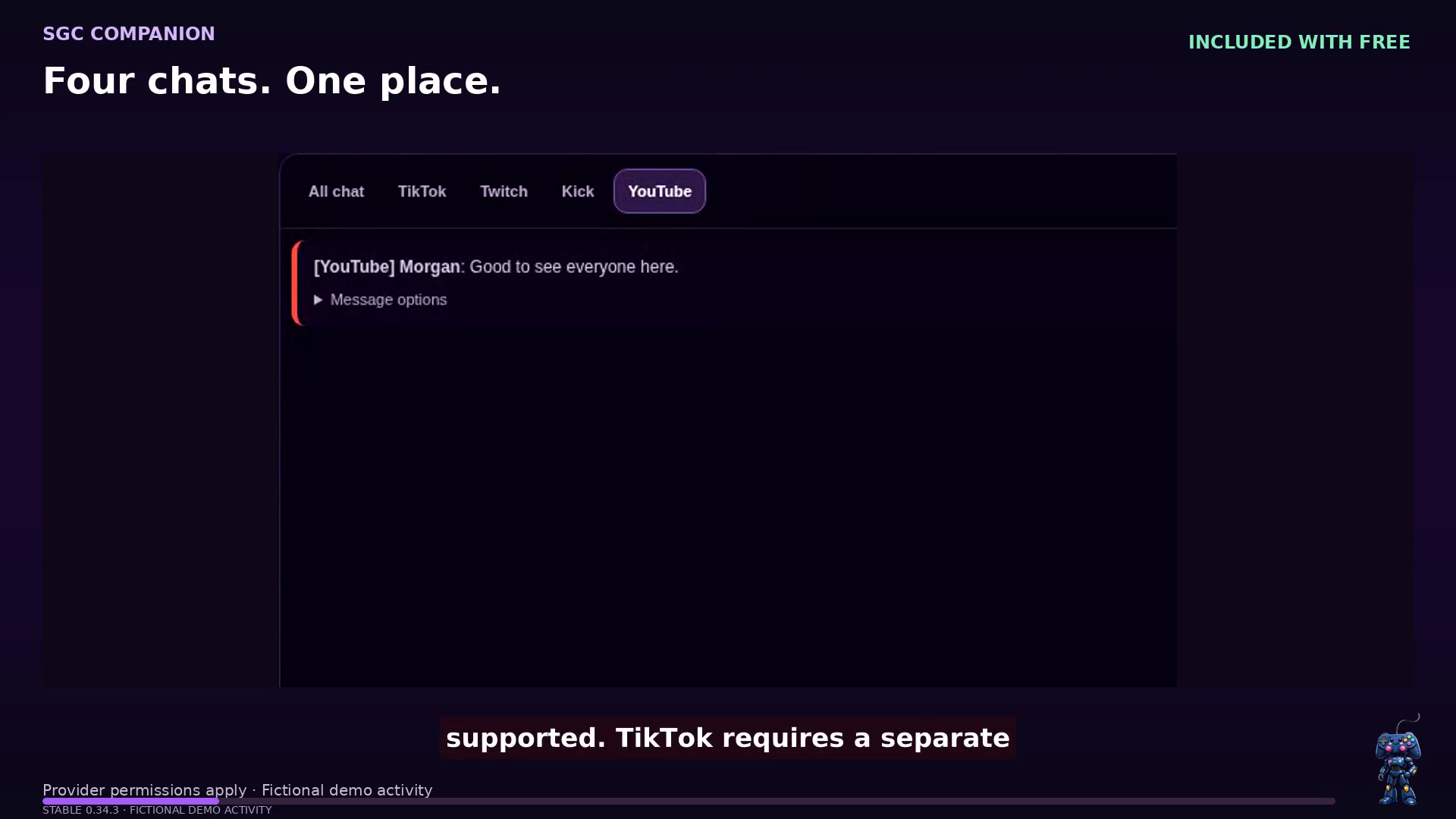
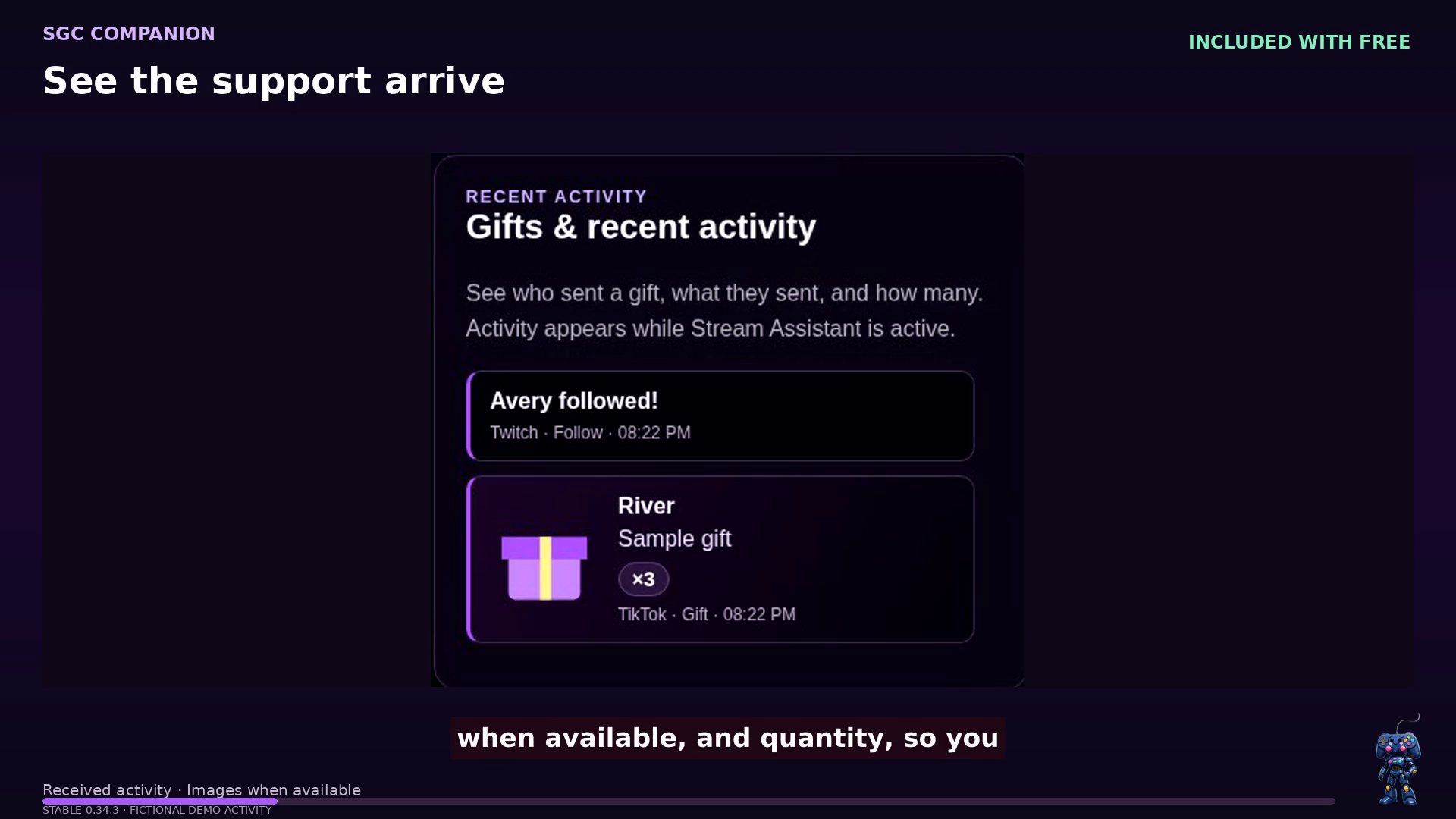
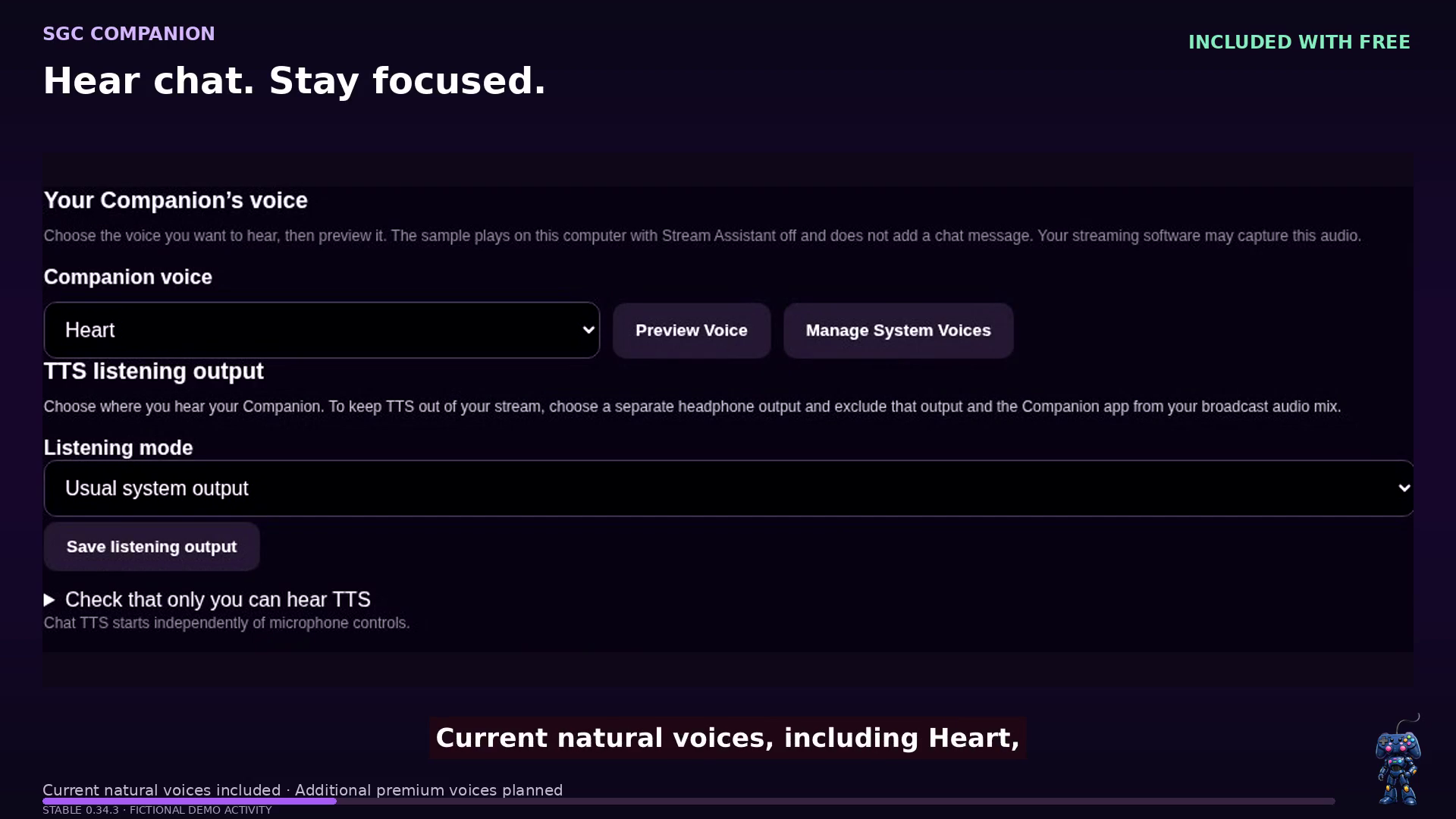
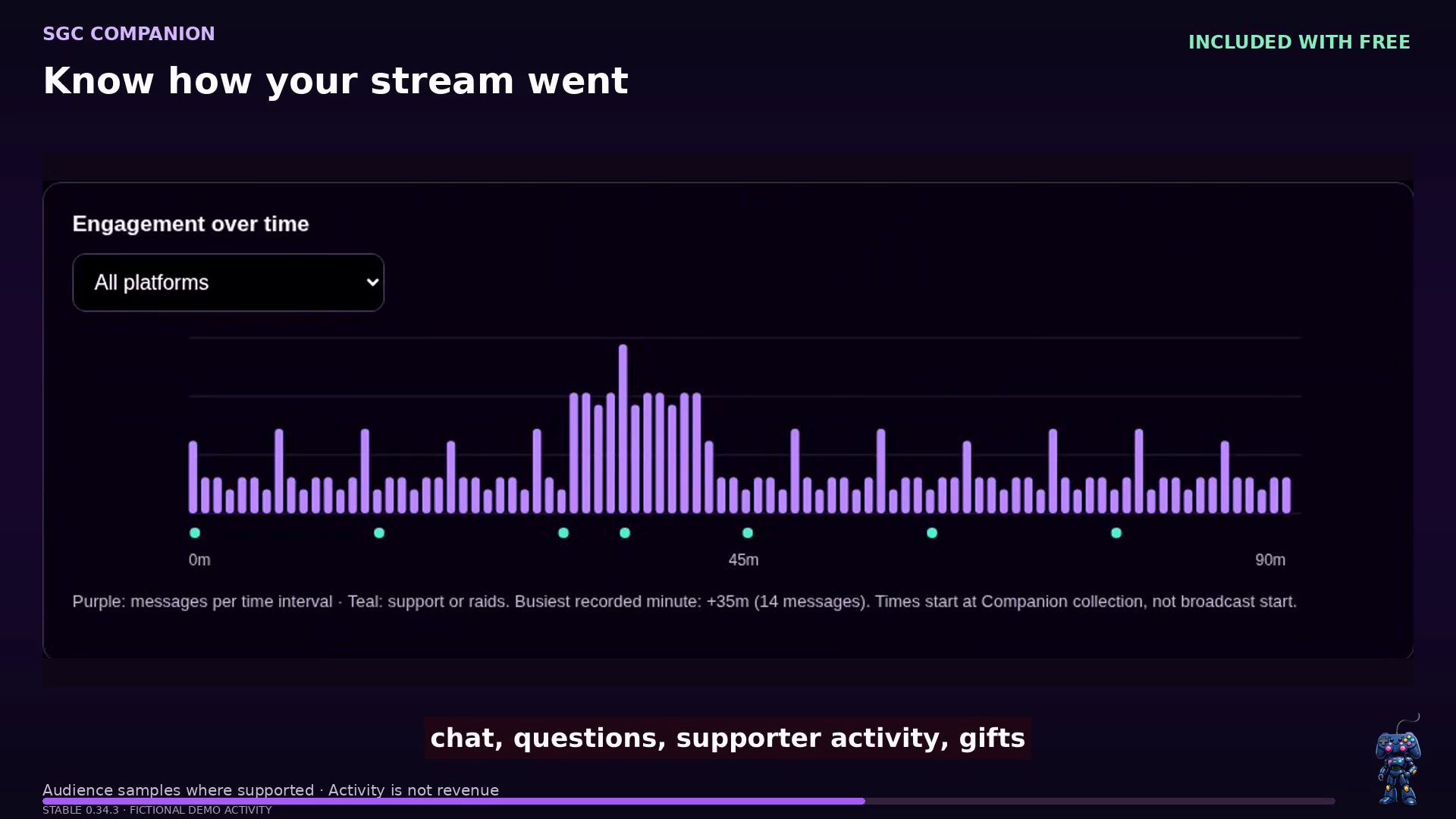
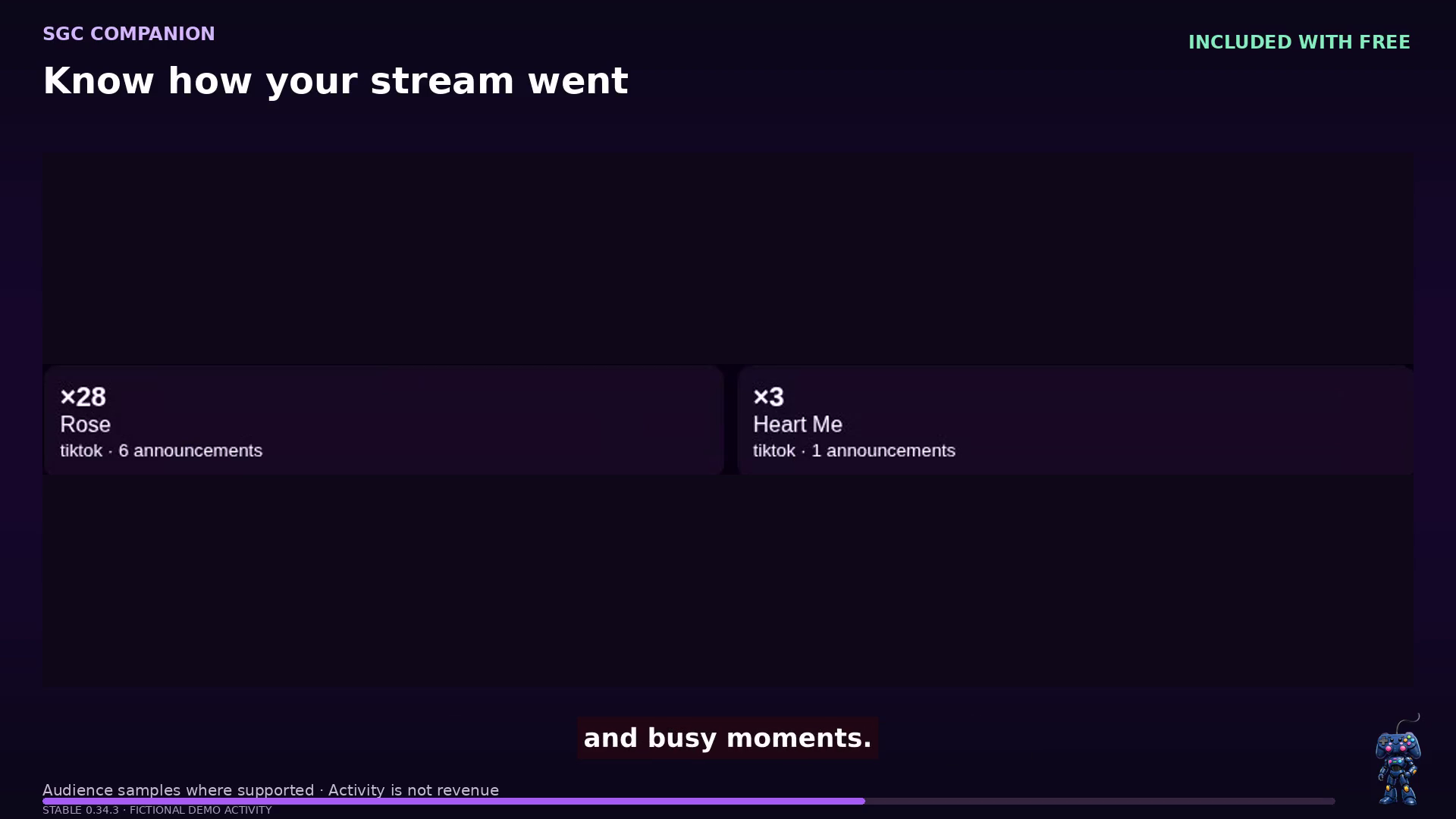
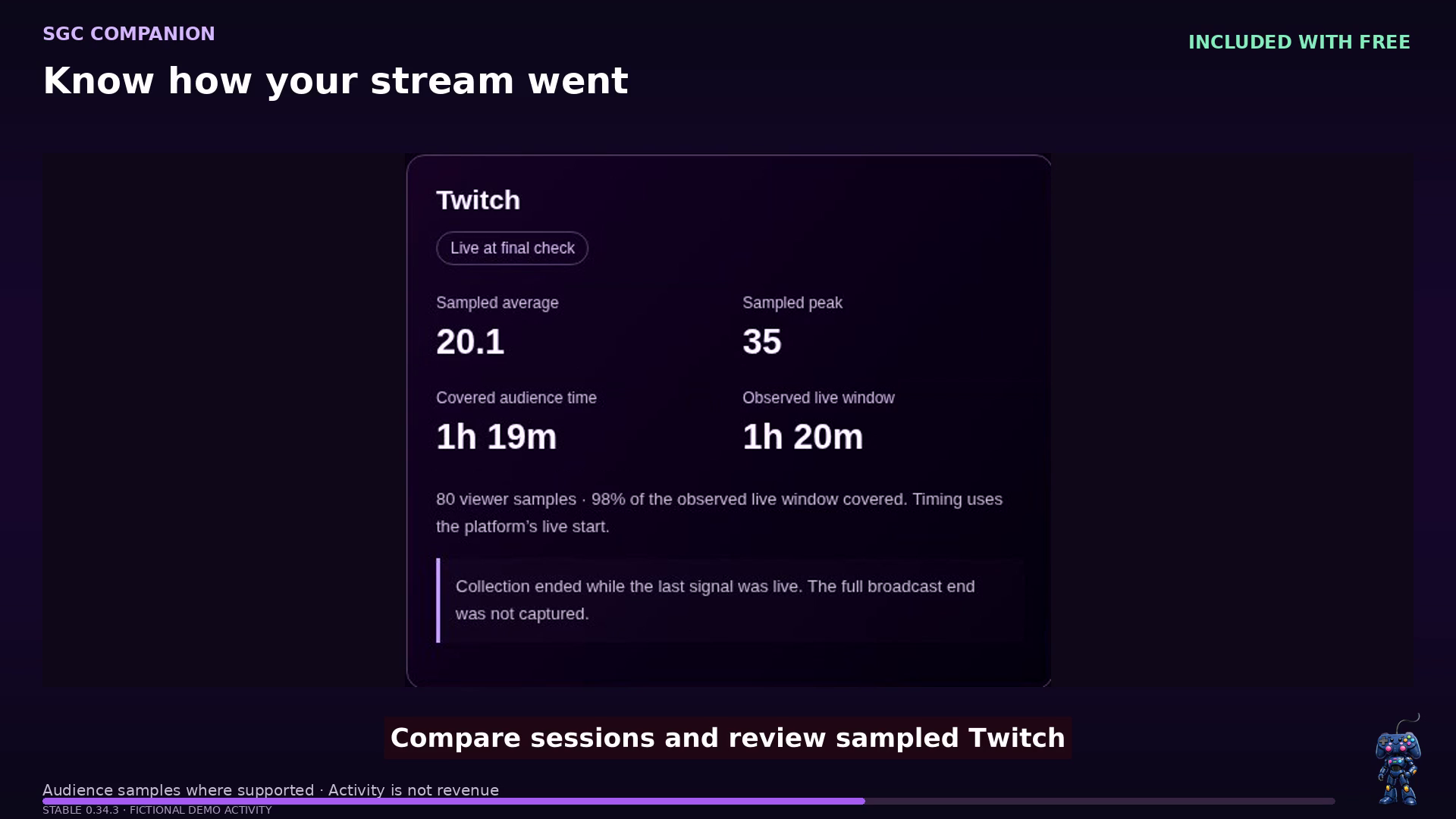
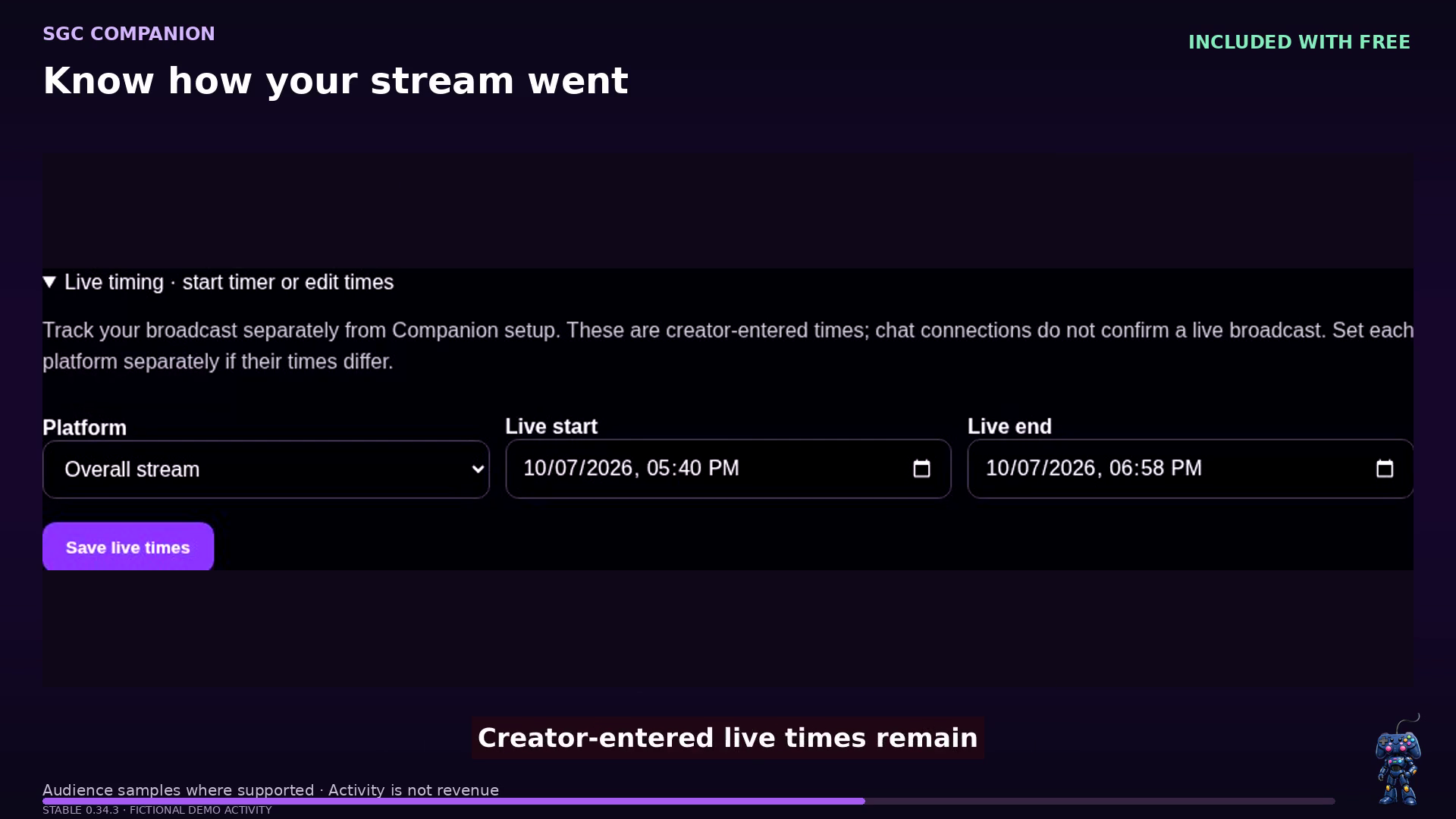
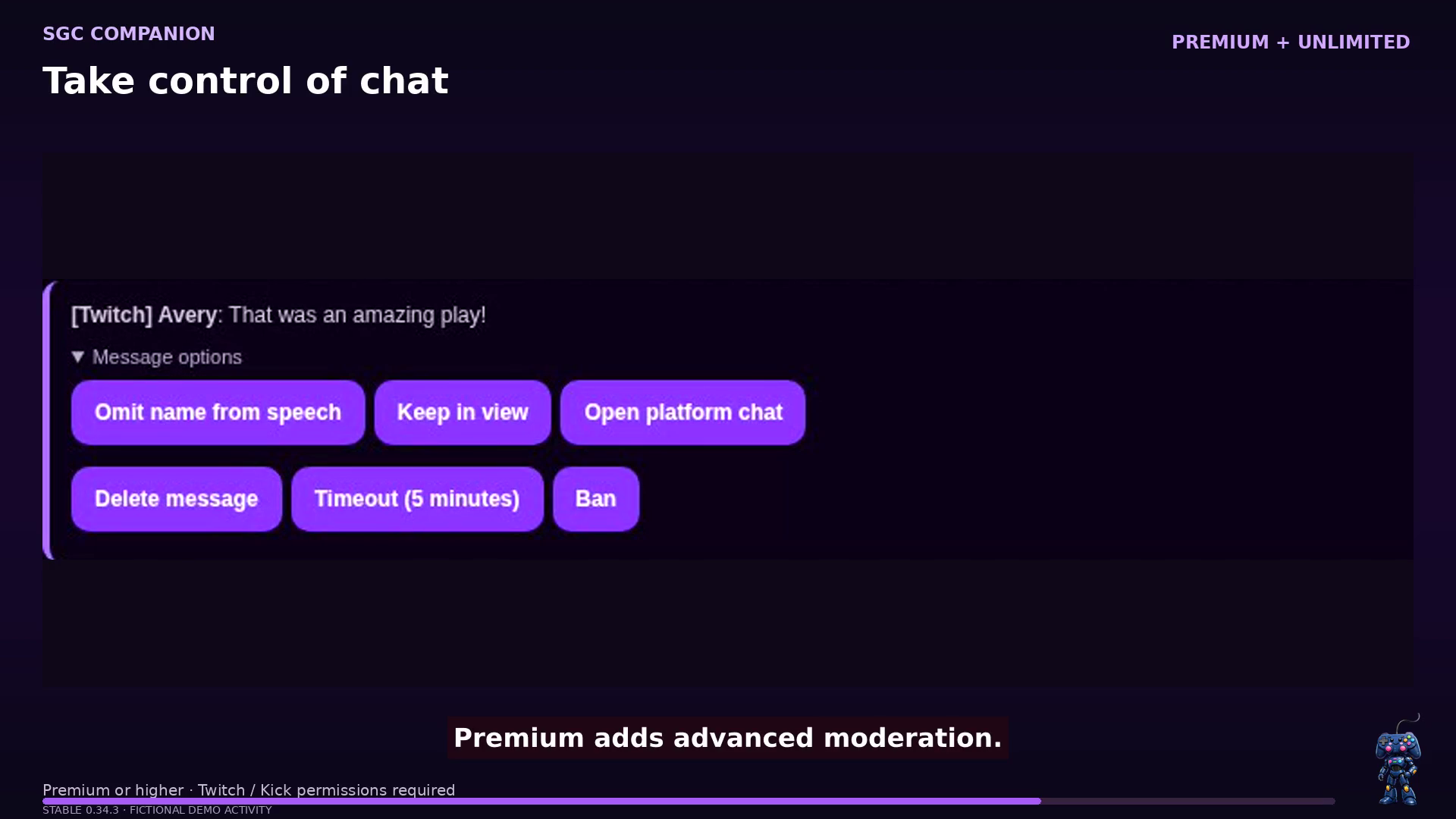
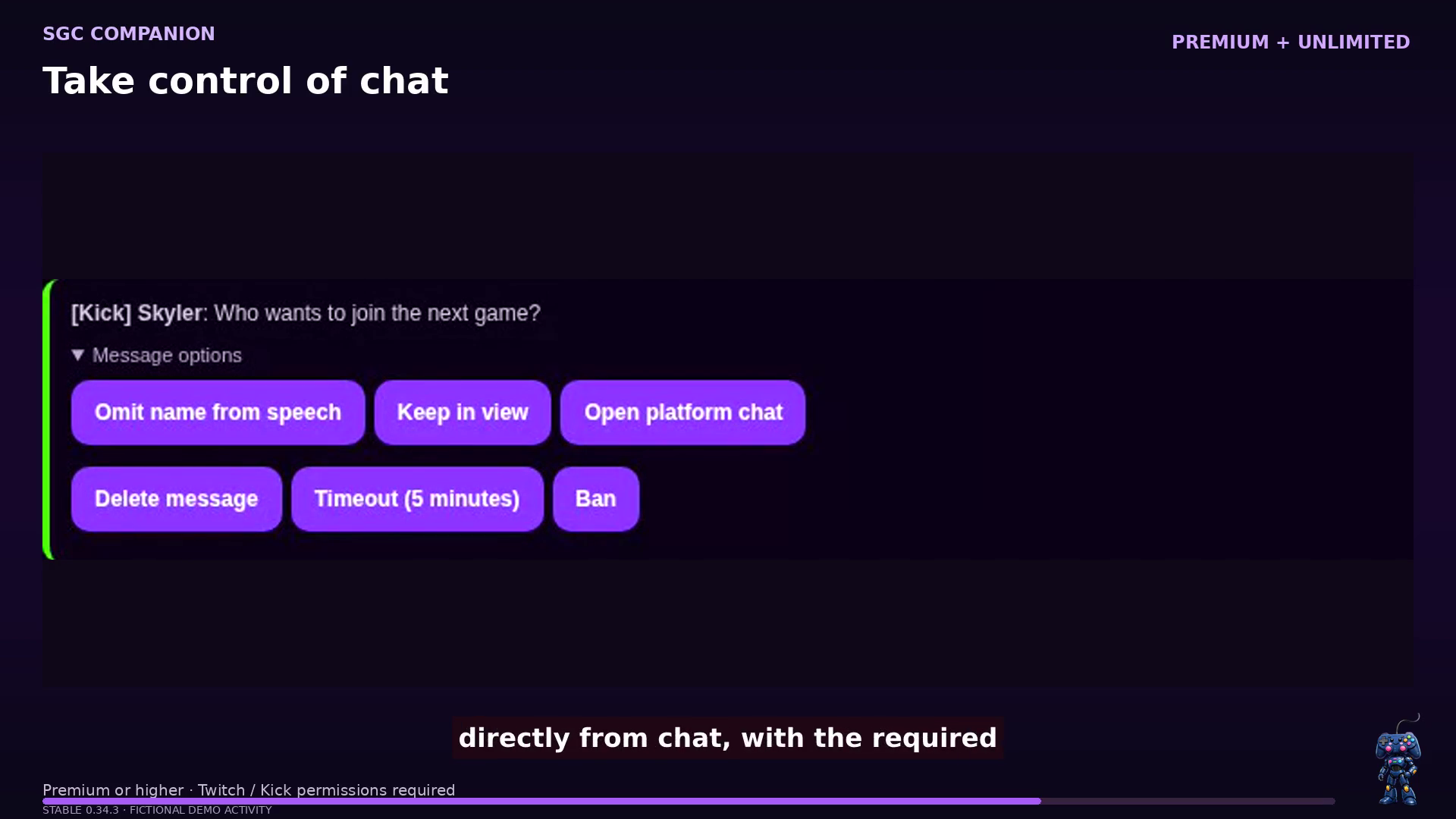
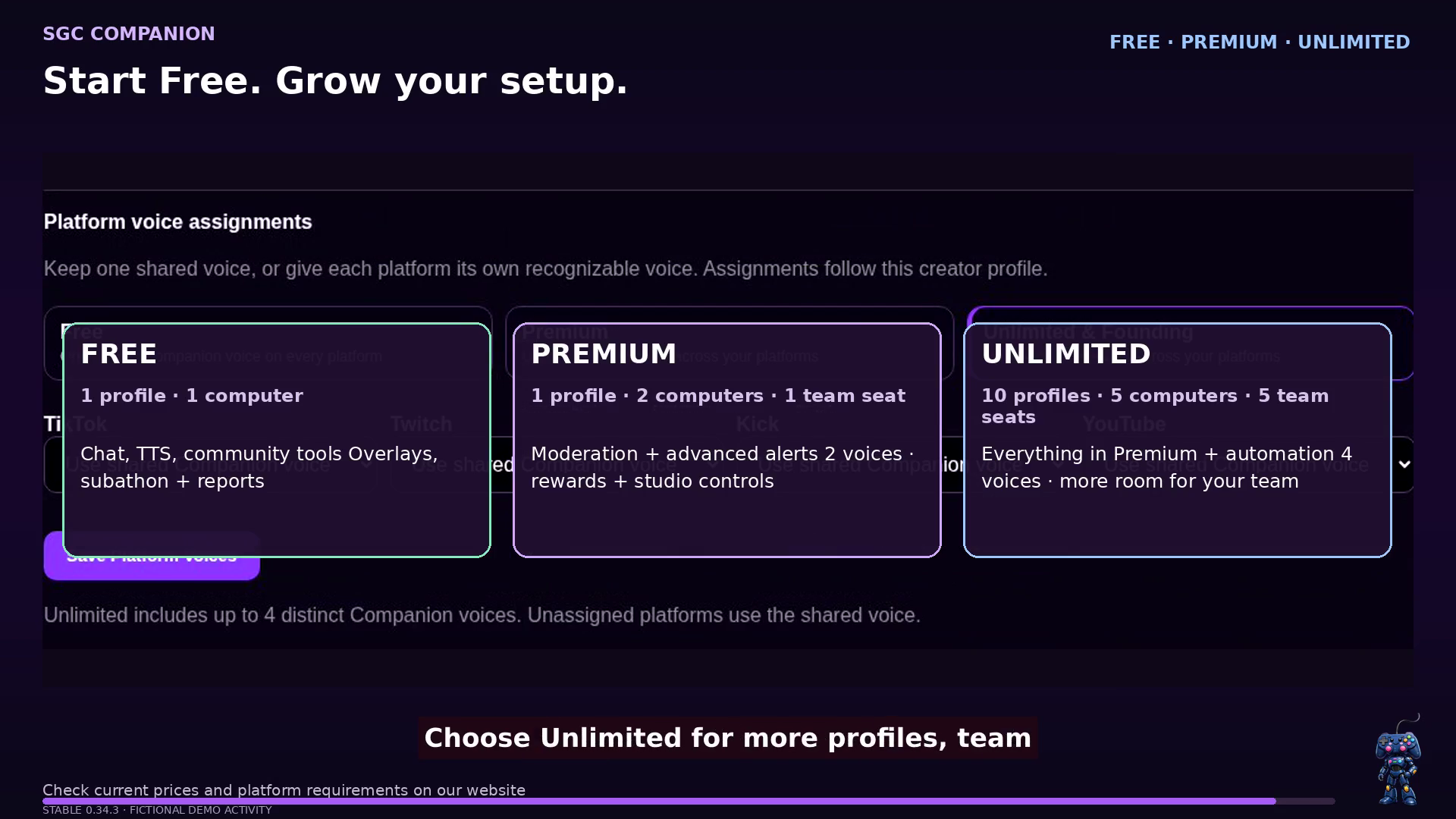
All 16 screenshots come from the recorded 0.34.3 demo. Select an image to enlarge it. Fictional demonstration data is used throughout; platform permissions and membership restrictions still apply.
Keep your Discord community in the loop
With supported stream detection and a configured Discord destination, SGC Companion posts your going-live announcement with watch links. When your stream ends, it can update the same message to show that the session is over and link viewers to check for a replay or VOD.
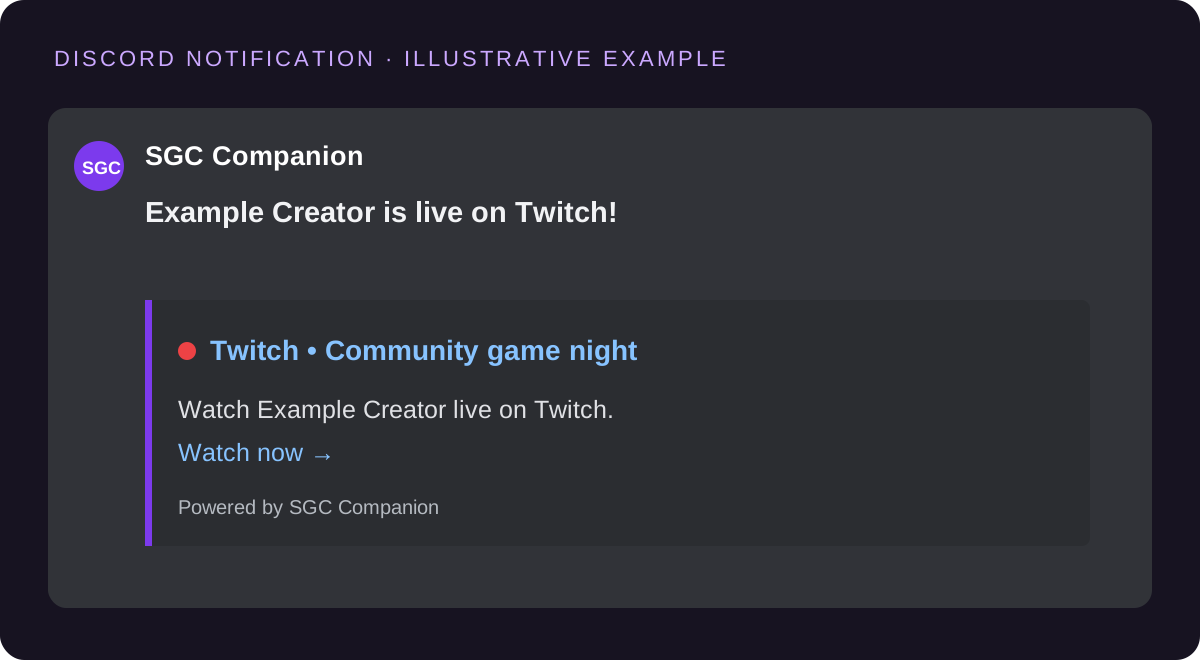
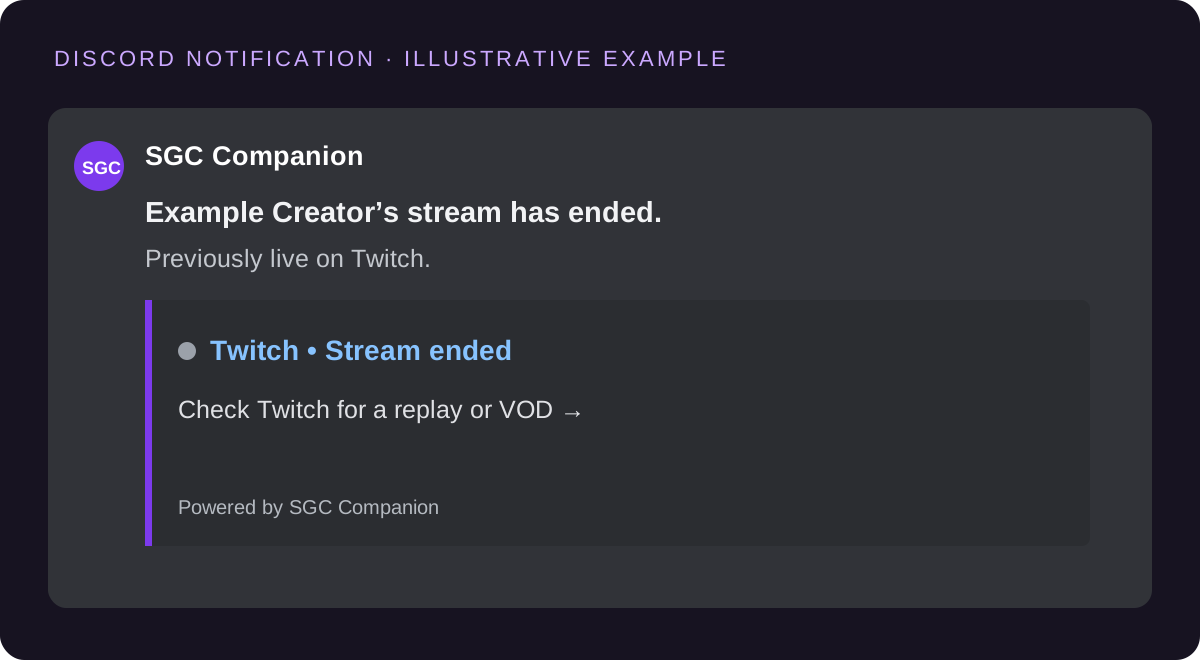
Illustrative examples based on the current notification templates, using a fictional creator. Actual appearance depends on your settings and Discord. Replay availability depends on the platform and your channel settings.
What it helps you do
SGC Companion is designed to reduce tab switching without taking control away from the creator.
Before the stream
While live
After the stream
Creator tools
Keep everyday controls close. Open a topic below for the details, without a wall of settings.
Chat & Companion
Unified supported chat, voice commands, chat read-aloud, and Compact Live Mode help you keep up while you play.
Different voices by platform and advanced moderation depend on your plan. Conversational AI and memory remain limited experiments.
Community
Viewer queues, giveaways, a winner wheel, SGC points, rewards, commands, and shoutouts bring your audience into the action.
Game queues are saved on the streaming computer; they are not synchronized between computers. Advanced reward fulfillment and automation depend on membership.
Alerts & overlays
Combine media, chat, alerts, and widgets in independent landscape and portrait scenes. Preview your changes before going live.
Browser sources work with compatible broadcasting software. Companion helps with presentation; your broadcaster produces the video.
Goals & support
Show charity progress, run a subathon, and close with ending credits that recognize your community.
Supported events vary by provider and permissions. TikTok events use TikFinity compatibility. A connection does not guarantee every event type.
Stream workflow
Readiness checks, private Stream Simulation, connection recovery, and optional production controls support your live routine.
The stable release also checks for trusted updates on a fresh Windows launch, while deferring installation around detected live or recoverable activity.
Recaps & sharing
Review private session recaps, supported audience reports, and editable thank-you drafts. Keep your Discord community informed.
Reports are not a universal viewer count or earnings report. They do not backfill uncollected audience history. Local recaps retain up to 30 days and 100 sessions on every plan.
Platform connections
A unified workspace does not mean identical platform support. Check the app’s connection status and available actions for your account, platform, and release channel.
| Connection | How it fits your stream | Current boundaries |
|---|---|---|
| Twitch, Kick, and YouTube | Supported chat readers bring messages into the unified chat workspace. | Send to supported connected chats with the required permissions. Review each destination’s delivery result. Available moderation, supporter events, and audience data differ by platform. |
| TikTok | TikTok chat and events use optional TikFinity compatibility; available actions depend on the connection. | Optional outbound messaging uses the local TikFinity compatibility bridge. Handoff to TikFinity is not delivery confirmation: check the message in chat. Direct TikTok LIVE integration remains dependent on platform approval. |
| Discord | Supported live notifications and announcements help keep your community informed. | Review Discord readiness in Stream Simulation and check the connection before relying on notifications. |
| OBS and your broadcaster | Supported OBS controls, browser-source alerts, overlays, and clipping adapters assist production. | Companion does not encode or host your video. Continue streaming with OBS, Meld, Streamlabs, TikTok LIVE Studio, or your chosen broadcaster. |
Memberships at a glance
Start with the complete multistream foundation, then add deeper production control when you need it. Existing settings stay saved if your membership changes.
On smaller screens, swipe the comparison sideways to see every plan.
| Capability | Free | Premium | Unlimited |
|---|---|---|---|
| Core creator tools | |||
| Companion voice commands and live chat reading | ✓ | ✓ | ✓ |
| Unified Twitch, Kick, and YouTube chat; optional TikFinity for TikTok | ✓ | ✓ | ✓ |
| Discord live notifications, basic alerts, community tools, and profile recovery | ✓ | ✓ | ✓ |
| Viewer Game Queue, overlay editing, charity goals, subathon timer, and ending credits | ✓ | ✓ | ✓ |
| Voice choices | |||
| Shared Companion voice across every platform | 1 voice | Included | Included |
| Different Companion voices by platform | —Uses the shared voice | Up to 2 voicesAssign by platform | Up to 4 voicesOne for each platform |
| Current natural voice library | ✓ | ✓ | ✓ |
| Advanced controls | |||
| Advanced moderation, alerts, studio integrations, and reward fulfillment | — | ✓ | ✓ |
| Advanced automation | — | — | ✓ |
| Account capacity | |||
| Creator profiles | 1 | 1 | 10 |
| Connected computers | 1 | 2 | 5 |
| Team seats | 0 | 1 | 5 |
| Local session recap retention | Up to 30 days / 100 sessions | Up to 30 days / 100 sessions | Up to 30 days / 100 sessions |
Memory is still experimental: Unlimited eligibility does not mean general access to natural-conversation or memory experiments. Check your account for current upgrade availability. Additional premium voices are planned; the current natural voice library is included on every plan.
Why Twitch or Kick may use your main voice: on Free, every platform deliberately falls back to the shared Companion voice. Platform-specific assignments unlock with Premium and remain saved when unavailable.
Free is a starting point, not a trial. Founding remains an invitation-only membership with Unlimited-level access. The optional beta update channel is a release preference, not a membership tier.
What’s ahead
The tools above are in the published release. The work below is separate, with no promised release dates or future plan allocation.
AI-assisted layout and styling, contextual replies, personalized AI thank-yous, natural conversations, and memory remain limited experiments. Eligibility depends on the individual test; a paid membership or beta channel does not automatically unlock them.
The optional beta update channel is for testing newer releases. Stable is the default download here. Neither channel changes your membership.
Official Windows download
Start with Free. Download the current stable installer directly from SGC Companion.
The screenshots and video were recorded using 0.34.3; they do not identify the current release version. The download button follows the latest stable release, so you always use the official route.
Use Companion on your streaming computer alongside your broadcaster. macOS and Linux desktop versions are not currently offered.
Before you install
You do not need a private invitation to download Companion. Choose the optional beta update channel in the app when you want to test newer releases. Beta enrollment is separate from private feature experiments. Download only from Support Great Causes or the official Companion portal.
The product screenshots and landscape demo show 0.34.3 with fictional activity. Newer releases may look different. The Discord examples are illustrations of the notification templates.
Meet other creators, ask questions, share feedback, and follow Companion updates in the SGC Discord. Use Help & Support in the app for private diagnostics and account issues.